System
Who reaches this QUniLator, what it runs, and updating it. Each of those is a page of its own, listed under System in the sidebar: Access, Network and shell, Serial ports, Recordings, Updates.
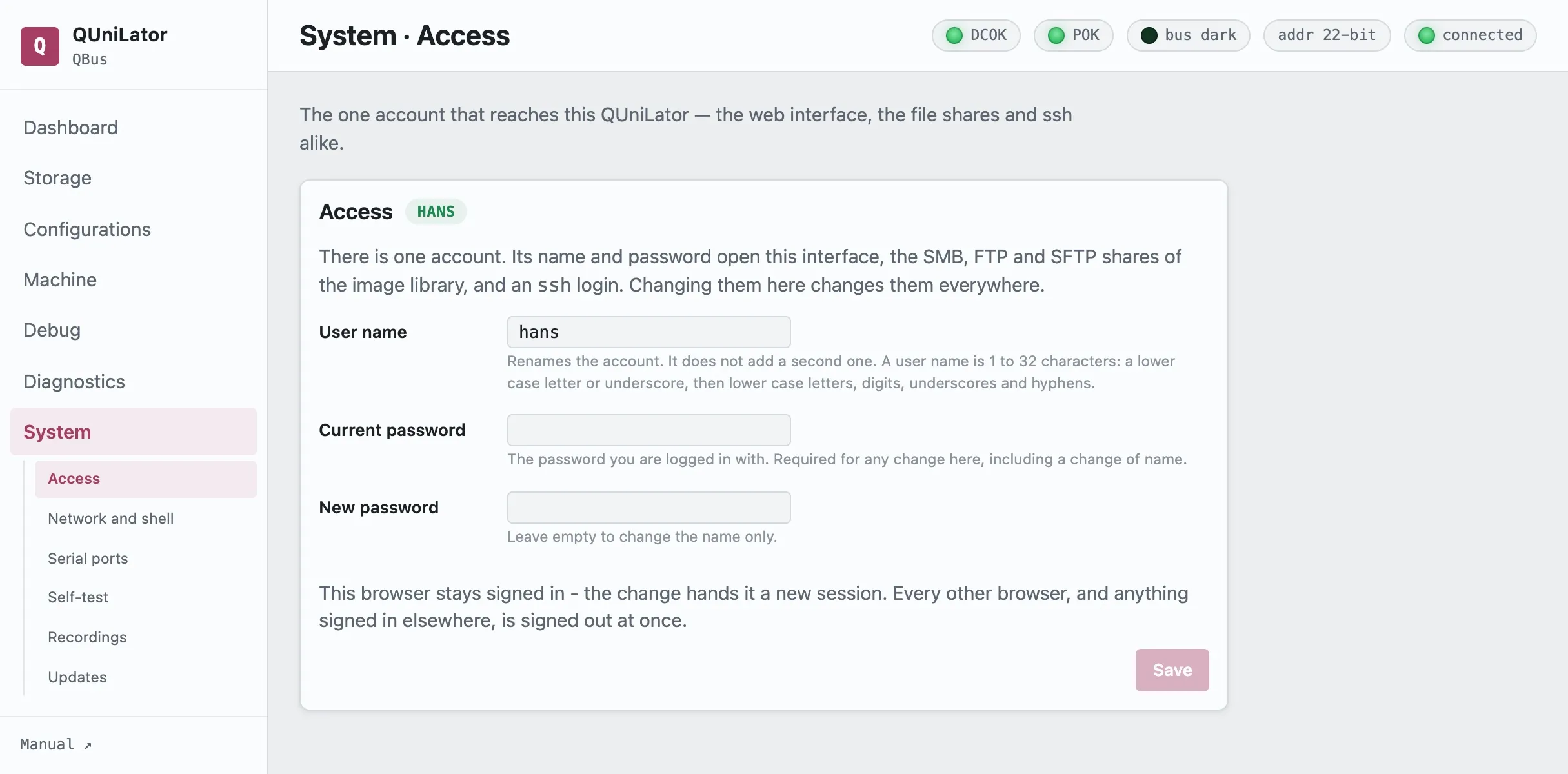
Access
Section titled “Access”There is one account. Its name and password open the web interface, the SMB, FTP
and SFTP shares of the image library, and an ssh login — change them here and
they change everywhere. The next request asks for the new ones, so the browser
will prompt again.
Changing the user name renames that account rather than adding a second one: the file shares and the ssh login follow it. A name is 1 to 32 characters: a lower-case letter or underscore, then lower-case letters, digits, underscores and hyphens.
Current password is the one you are logged in with, and any change here takes it — a change of name as much as of password.
Network and shell
Section titled “Network and shell”Host name is the name this QUniLator has on the network. Renaming it moves
qbone.local, the DNS-SD advertisement, the DHCP lease and the login banner
together. Letters, digits and inner hyphens, up to 63 characters.
SSH key installs a public key for the account, which is how you reach a shell
and sudo there. Installing one replaces the key already present.
Serial ports
Section titled “Serial ports”Which of the BeagleBone’s three UARTs carry a Linux login.
ttyS0 | the debug header, J1 pins 4/5 — needs a 3.3 V TTL adapter. Also the kernel console. |
ttyS1 | the cape connector. |
ttyS2 | the cape connector — and normally held by the external console bridge. |
One port always keeps its login: it is the way back onto a card whose network has gone, so switching the last one off is refused. The USB port carries a login of its own as well. A port the emulator is holding cannot take one either — free it by turning the device or the console bridge off first.
Console recordings
Section titled “Console recordings”Sessions captured with Record on the dashboard — both what the machine printed and what was typed at it, whoever typed it. Each can be downloaded or deleted.
Updates
Section titled “Updates”What the installed package is, and what the repository offers.
Check now asks; Show what changed fetches the changelog before you commit. Installing replaces the emulator and restarts the service, so the running machine stops — the page says so before it starts.
An update returns QUniLator to its DIP-selected configuration, so a configuration applied by hand needs re-applying afterwards.
Dismiss stops a version being announced in the sidebar badge; Announce it again undoes that.
The Updates page carries two sections: the emulator package this QUniLator
is — qbone or unibone — and the Debian underneath it.
Operating system is everything else on the BeagleBone, the emulator excluded. Packages held back are listed rather than forced — the kernel and the cape support are pinned deliberately. Some upgrades want a reboot, and the page says which.